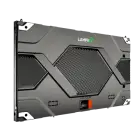
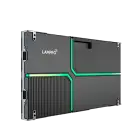
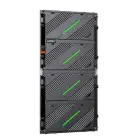
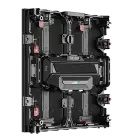
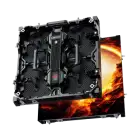
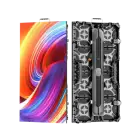
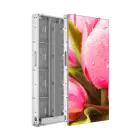
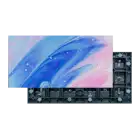
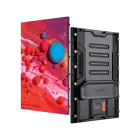
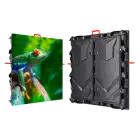
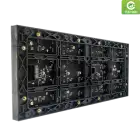
Professional display color calibration is the process of adjusting each individual diode on an LED wall to ensure uniform brightness and chromaticity across the entire surface.
This precision is achieved through point-by-point (pixel-level) calibration using a screen color calibration tool, such as a spectrometer, paired with specialized software (like NovaLCT or LEDVision).
The goal is to align the video wall with global color spaces like Rec.709 or DCI-P3, ensuring that the "Brand Red" or "Natural Skin Tone" looks identical on every square inch of the screen.

Even high-quality LED screen panels can show inconsistencies over time. This is primarily due to:
Depending on your application, your white color calibration and target color space will vary. Use the table below to set your targets:
| Application | Target White Point | Color Space | Bit Depth |
|---|---|---|---|
| Broadcasting/Studio | 6500K (D65) | Rec.709 | 8-bit or 10-bit |
| Cinema/Virtual Production | DCI-P3 | DCI-P3 | 12-bit HDR |
| Corporate Meeting Rooms | 5500K–6000K | sRGB | 8-bit |
A common issue is a wall that looks perfect at 100% brightness but shows "mottling" or uneven patches at 5% brightness.
When adding new modules to an existing wall (e.g., replacing a damaged section), the new LEDs will likely be brighter.
Red diodes often have lower voltage thresholds than blue or green. At low power, the red stays "on" more strongly, causing a pink tint. This is corrected by adjusting the low-gray white color calibration settings in your controller.
For mission-critical environments like TV studios, every 6 months is standard. For general retail or corporate use, every 12 months or after any major module replacement is sufficient.
You can perform a "Manual White Balance" by eye using the RGB gain settings in the controller, but this will not achieve pixel-level uniformity. For professional results, a screen color calibration tool (hardware-based) is essential.
Achieving true color accuracy requires understanding different levels of pixel bits and maintaining a rigorous calibration schedule. By aligning your wall to the correct color space, you ensure your content looks exactly as the creator intended.
Check out the LAMPRO LMini Series, featuring 16-bit+ grayscale and ultra-high color uniformity, or contact our technical team for a calibration consultation.
↑