Key Takeaways:
In professional control rooms and broadcast studios, a common frustration arises: the "grey soup" effect. You are monitoring a complex data feed or a night-time surveillance stream, and the critical details—the text in a shadow, the license plate in a dark alley—are lost in a muddy wash of grey.
This is, frankly speaking, a dynamic range failure.
While the industry has spent the last decade chasing "more pixels" (4K/8K), the real revolution in visual fidelity is High Dynamic Range (HDR)—the shift toward "better pixels." For procurement managers and system integrators, understanding HDR display technology is the new baseline for mission-critical visualization.
This guide clarifies the technical reality of HDR and its operational impact.
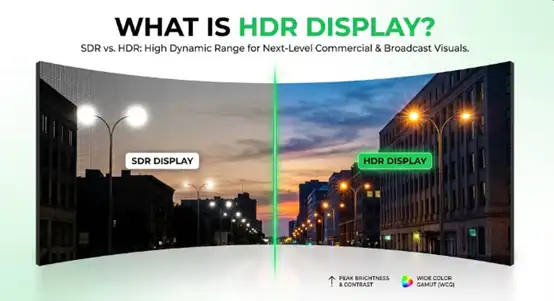
At its core, it re-engineers the signal chain to mimic the human eye. The human visual system can perceive a massive range of luminance, from starlight (0.0001 nits) to sunlight (1.6 billion nits).
Traditional displays capture only a tiny fraction of this. HDR bridges that gap through three specific pillars:
Dynamic range is the ratio between the brightest highlight and the darkest shadow a screen can render simultaneously.
In Standard Dynamic Range (SDR), the "ceiling" for brightness is often capped at 100-300 nits. This means a bright white alert box and a sun glare look the same—flat white. Conversely, dark details are "crushed" into a uniform black, deleting data.
HDR unlocks the ability to push peak brightness to 1,000+ nits for highlights while maintaining true 0-nit blacks. This creates "local contrast," allowing a bright spark to appear next to a deep shadow without washing it out.
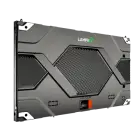
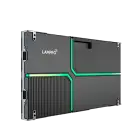
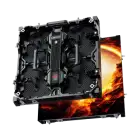
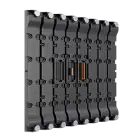
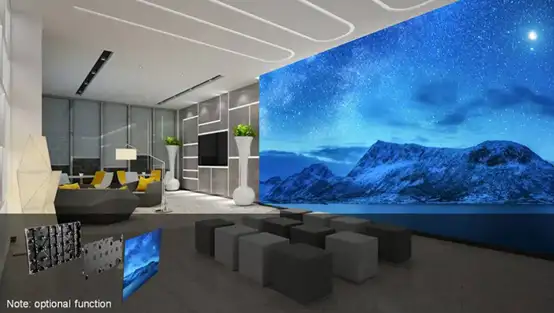
For environments requiring this level of precision, the LMini Series utilizes Chip-on-Board (COB) technology to deliver elite HDR performance.
→ View LMini Series Specs
WCG refers to the total volume of colors a display can reproduce.
Benefit: Wider WCG means great data accuracy. In a command center, distinguishing between a "red" alert and a "crimson" warning requires a gamut that Rec. 709 simply cannot display.
Bit depth determines the precision of color information per pixel.
Compare (Bits): SDR typically uses 8-bit color (28 = 256 shades per channel). When stretching a gradient across a large LED wall, this results in visible "banding" or steps. HDR requires 10-bit (210 = 1024 shades per channel), delivering 1.07 billion colors.
Benefit: This 4x increase in precision eliminates banding, ensuring smooth gradients in skyboxes, medical imaging, or architectural visualizations.
The difference between HDR vs SDR is quantifiable. The table below outlines the technical specifications that define the two standards.
| Standard Dynamic Range (SDR) | High Dynamic Range (HDR) | Benefit for Pro AV | |
|---|---|---|---|
| Dynamic Range | Limited (Highs clipped, shadows crushed) | Expanded (True blacks, blinding highlights) | Essential for surveillance & detailed data reading. |
| Peak Brightness | 100 - 300 nits | 1,000 - 10,000+ nits | Visibility in high-ambient light environments. |
| Color Gamut | Rec. 709 (Narrow) | Rec. 2020 / DCI-P3 (Wide) | Accurate brand colors and realistic simulation. |
| Bit Depth | 8-Bit (16.7 Million Colors) | 10-Bit (1.07 Billion Colors) | Smooth gradients; no "banding" artifacts. |
| Metadata | None (Static Gamma Curve) | Dynamic (PQ / HLG) | The screen adapts brightness frame-by-frame. |
For large-scale professional displays, you often need both. A 4K wall without HDR will look "sharp but flat." An HDR wall with low resolution might look "vibrant but pixelated."
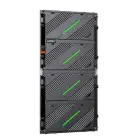
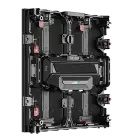
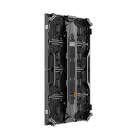
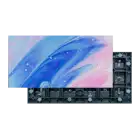
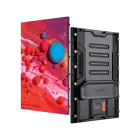
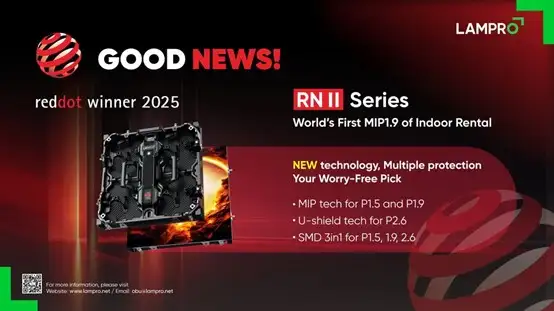
Designed specifically for high-end rental and staging applications, the RNⅡ Series is engineered to deliver the peak brightness and deep contrast required for professional HDR content.
Its high-performance hardware ensures that every detail in the highlights and shadows is preserved, even in demanding stage environments.
→ View LAMPRO RNⅡ Series
This is a critical question for broadcast engineers and eSports facility managers: does HDR lower FPS?
For modern, professional-grade LED systems, no. The LED wall itself does not "slow down" when displaying HDR. The refresh rate (e.g., 3840Hz) remains constant.
Performance issues are rarely caused by the HDR format itself, but by the infrastructure supporting it:
The transition to HDR is a fundamental correction of how we display digital information. By moving from SDR to HDR, businesses unlock the ability to visualize data with the same dynamic range and color volume as the real world.
For professional integrators, the key is to look beyond the "HDR" sticker and inspect the signal chain: ensuring 10-bit processing, sufficient bandwidth, and high-contrast hardware.
Ready to upgrade your studio to broadcast-grade HDR? Contact LAMPRO.